When your automated WhatsApp messages fail in a sales workflow, the cause is rarely a simple connection error. The real problem is almost always buried in your workflow's logic—the intricate connections between your CRM, automation rules, API health, and opt-in management. A single flaw in this system doesn't just delay a message; it breaks your sales process, stalls follow-ups, and directly costs you booked appointments.
Why WhatsApp Message Failures Directly Impact Sales Bookings
A failed WhatsApp message is more than a technical glitch; it's a critical failure in your customer acquisition funnel. Every "message not sent" error represents a missed opportunity to engage a warm lead, a delay in your response time, and a high probability of a lost appointment. For clinics and service-based businesses that depend on speed-to-lead, these delivery issues erode revenue and create a poor customer experience from the very first interaction.
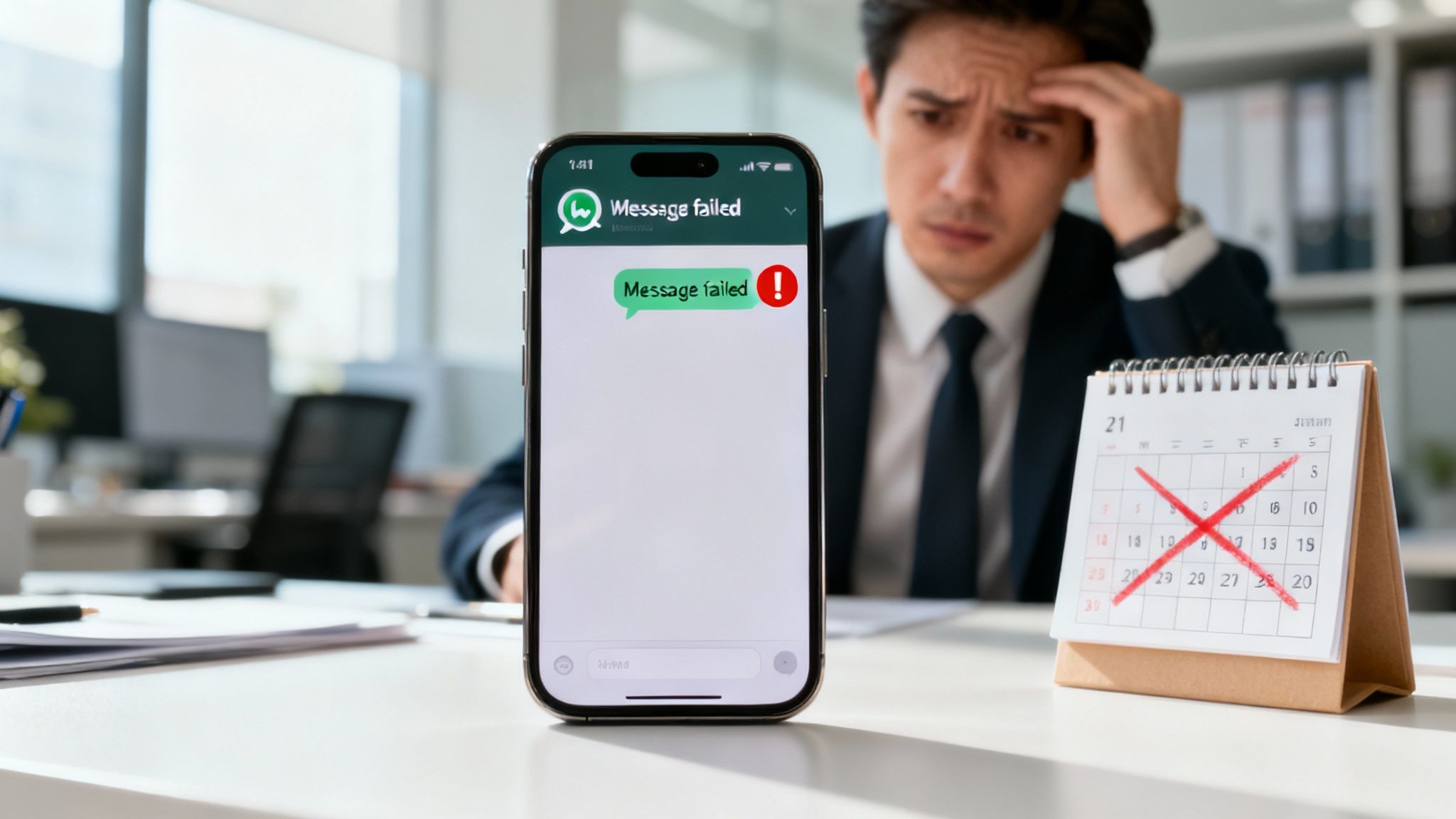
This guide moves beyond basic end-user troubleshooting. We are focusing on diagnosing and fixing the workflow-level failures—the systemic issues within your sales automation stack that silently sabotage your ability to convert inquiries into paying customers.
The True Cost of "Message Not Sent" on Your Booking Rate
The damage is amplified in markets where WhatsApp is the primary communication channel. In the MENA region, for instance, WhatsApp penetration exceeds 90%. An unreliable messaging workflow here can paralyze a sales funnel. We've observed that delivery issues stemming from faulty API integrations or unapproved message templates can cause a 20-30% drop-off in lead nurturing sequences. For more context on the platform's dominance, see the latest WhatsApp marketing trends on TheContentKettle.com.
Key Takeaway: A "Message Not Sent" alert is a direct indicator of a broken sales process. Each failure represents a tangible loss in potential appointments and revenue, signaling that your automated engine is not performing its core function.
Common Failure Points in Your Sales Workflow
Diagnosing the problem starts with knowing where to look. Delivery failures are rarely caused by a single issue but rather a chain reaction within your tech stack. This table outlines the most common culprits, their symptoms, and their direct impact on your sales outcomes.
Common WhatsApp Delivery Failure Points in Sales Workflows
Throughout this guide, we will break down each of these workflow-level challenges. By addressing these core issues, you can build a resilient and effective sales communication system that reliably converts leads into booked appointments.
Checking the Technical Foundation: API and Webhook Health
When automated messages from your CRM fail to send, the issue is often a breakdown in the technical connection to the WhatsApp Business API. Your first step should be to investigate the webhook status. A webhook acts as the communication bridge, relaying delivery statuses like "sent," "delivered," and "read" back to your CRM. If this bridge is down, your CRM operates in the dark, logging messages as "sent" without any confirmation of delivery.
How to Diagnose Webhook and Authentication Failures
A classic symptom of a broken webhook is a CRM filled with messages stuck in a "sent" state that never updates to "delivered." This indicates that your webhook URL may be incorrect in your Meta for Developers dashboard or your server is failing to process the incoming data from WhatsApp.
Another frequent issue is an API authentication error. The WhatsApp Business API uses temporary access tokens for security. When these tokens expire, your system is locked out, and all outbound messages will fail until the token is refreshed. Regularly monitoring token validity is essential maintenance. For detailed technical specifications, refer to the official WhatsApp integration documentation.
Expert Tip: Implement automated alerts that notify your team of API authentication failures or a spike in messages stuck in the "sent" status. This allows you to resolve connection issues before they impact a significant number of sales opportunities.
Why Sender Reputation and Rate Limits Are Critical
Meta assigns every business phone number a Quality Rating, which reflects user feedback. If recipients frequently block or report your messages as spam, your rating will drop, triggering a cascade of negative consequences:
- Throttling: Meta will restrict the number of messages you can send, slowing down your outreach.
- Flagging: Your number can be flagged, and in severe cases, disabled entirely.
This is a major business risk. A recent study revealed that 30% of businesses in markets like Saudi Arabia and the UAE experience intermittent delivery failures due to unverified numbers or hitting rate limits. To protect your sender reputation, message only users who have provided explicit opt-in and ensure your message templates provide clear value. Regularly monitor your quality rating in WhatsApp Business Manager and treat any dip as an urgent signal to review your messaging strategy. This technical discipline is a core component of effective AI-assisted sales automation systems.
Auditing Your Sales Automation and Workflow Logic
While a technical API failure is noisy and easy to spot, the silent killer of your WhatsApp delivery is often flawed workflow logic. Your API connection can be perfect, but if the automation rules behind it are poorly designed, your outreach will fall flat, annoy customers, or simply get lost. It's time to look beyond the tech and put your sales process under the microscope.
Many delivery problems start the second a lead lands in your CRM. The most common culprit? Aggressive automation timing. Firing off a WhatsApp message within seconds of a form submission might feel efficient, but to a potential customer, it feels robotic and intrusive. This can easily lead them to block or report your number, which hurts your sender reputation and throttles future messages.
The stakes are especially high in service industries like healthcare. For clinics, something as simple as an undelivered appointment reminder can cause conversion rates to plummet from a healthy 60% to under 30%. The trend is clear: industry analysis shows that while 76% of MENA shoppers will expect seamless WhatsApp integration by 2025, delivery failures are already affecting up to 35% of sales workflows. This alone can increase customer churn by a shocking 28%. Businesses that get this right turn their automation into a reliable revenue driver. You can dig into more of these numbers in this in-depth analysis of WhatsApp business statistics on YCloud.com.
This flowchart breaks down the essential health checks for your WhatsApp API, from webhooks and authentication to your sender reputation.
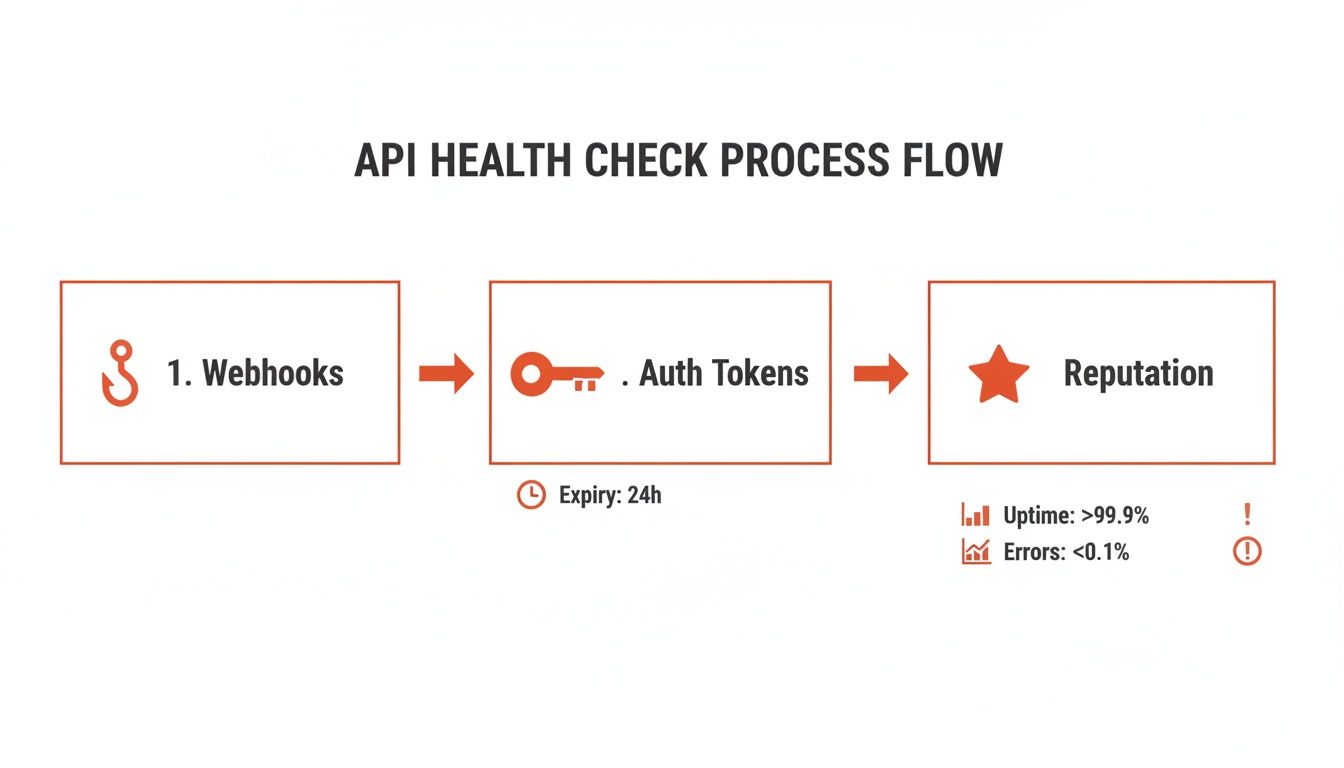
It really drives home how a single technical glitch can stop your entire communication flow, reinforcing why both a healthy API and smart workflow logic are non-negotiable.
Implementing Intelligent Delays and Timing
To combat that "robotic" feeling from aggressive timing, build intelligent delays into your workflows. Instead of an instant, machine-gun-style message, wait a few minutes. This small buffer makes the interaction feel much more natural and human.
Here’s how that plays out in a real-world scenario for a clinic:
- Lead Inquiry: A potential patient fills out a form about a dental procedure at 10 PM.
- Flawed Logic: The system instantly shoots out a generic WhatsApp message: "Thanks for your inquiry. A representative will contact you." The lead immediately recognizes it as an impersonal auto-response and tunes out.
- Optimized Logic: The system holds the message until 9 AM the next business day. Then, it sends a personalized note: "Good morning! We saw you were interested in our dental services last night. Are you free for a quick chat today?"
This simple timing tweak completely changes the tone and dramatically improves the quality of the interaction.
Building Robust Fallback and Retry Logic
So, what happens when a WhatsApp message doesn't get delivered? A solid workflow never just gives up. It should have retry logic and channel fallback sequences built right in.
A single point of failure is a rookie mistake in automation. If WhatsApp is your only communication channel in a workflow, you're setting yourself up for lost leads. Your system must be multi-channel by design.
A great way to do this is to implement a rule that checks the message status. If it isn't marked as "delivered" within, say, 15 minutes, the system should automatically trigger a backup plan. This ensures your message always has a chance to get through.
- Attempt 1: Send the WhatsApp message.
- Wait 15 Minutes: Check for a "delivered" status from the API.
- If Not Delivered (Fallback 1): Automatically send an SMS to the same contact. SMS has nearly universal reach and is the perfect backup.
- Wait 1 Hour: Check for a response.
- If No Response (Fallback 2): Send a follow-up email that references the original inquiry.
This layered approach gives you persistence without being pushy, maximizing your chances of making a connection.
Managing After-Hours Inquiries
Leads don’t work 9-to-5, but your sales team probably does. How you handle inquiries that come in after hours or on weekends is critical for keeping momentum. Sending automated messages late at night can feel unprofessional and usually results in terrible engagement.
The best practice here is to queue these messages. Configure your workflow to recognize when an inquiry comes in outside of standard business hours (like between 6 PM and 8 AM). Instead of sending a message right away, the system should hold it and send it at the start of the next business day.
This approach respects the prospect's time, boosts open rates, and ensures a sales rep is actually available to handle any immediate replies. When you pair this strategy with a smart CRM, it becomes even more powerful. Our guide on lead scoring and auto-routing in CRM shows you how to prioritize these queued leads so they get immediate attention.
Ensuring Data Hygiene and Consent Management
You can have a perfect API integration and a brilliant automation workflow, but if you are sending messages to invalid numbers or to people who have not consented, your efforts are wasted. The foundation of reliable WhatsApp delivery is not just technology; it's clean contact data and rigorous consent management. In the rush to launch automation, these fundamentals are often overlooked, leading to a "garbage in, garbage out" scenario where failed deliveries are inevitable.
Step 1: Validate Every Phone Number at the Source
Before a contact enters your sales pipeline, their phone number must be validated. This goes beyond checking for typos; it involves programmatic verification to ensure the number is active, correctly formatted with the international country code, and is not a landline.
For businesses operating in the GCC, this is particularly important due to the diversity of regional dialing codes. An automated validation step at the point of lead capture should:
- Verify active numbers: Confirm it is a mobile number capable of receiving WhatsApp messages.
- Standardize formatting: Automatically add the correct country code (e.g., +971 for UAE, +966 for KSA) and remove extraneous characters.
- Filter out landlines: Prevent non-WhatsApp-compatible numbers from entering your messaging queue.
Cleaning data at the source is the most effective way to reduce bounce rates. This process begins with well-structured lead capture pages connected to CRM pipelines.
Step 2: Secure and Record Explicit Opt-In
Meta's WhatsApp communication policies are strict: you must have clear, documented consent before sending business-initiated messages. Contacting users without their permission is the fastest way to get your number flagged, have your sending limits reduced, or be blocked entirely.
Key Takeaway: Consent is a non-negotiable requirement. Your opt-in process must be unambiguous, and you must maintain a record of each user's permission to be contacted on WhatsApp.
A simple, unticked checkbox on your lead form stating, "Yes, I agree to receive updates and appointment information via WhatsApp," is an effective method. This consent must then be logged in a dedicated "WhatsApp Opt-In" field in your CRM, which serves as a gatekeeper for your automation workflows.
Step 3: Automate Opt-Out Processing Immediately
Equally important is respecting a user's request to opt out. When a user replies with keywords like "STOP" or "unsubscribe," your system must process this request instantly. Failure to do so is a serious policy violation that damages your sender reputation.
An effective automation workflow should handle this process automatically:
- Monitor for opt-out keywords: Continuously scan incoming messages for unsubscribe requests.
- Update the CRM: Immediately change the contact's opt-in status to "Opted-Out."
- Remove from all campaigns: Instantly exclude the contact from all current and future WhatsApp sequences.
This automated process ensures compliance, respects user preferences, and protects the long-term health of your most valuable sales channel.
Building a Proactive Monitoring and Prevention Strategy
Fixing problems as they pop up is one thing, but a truly resilient sales workflow is one that stops issues from ever happening. The real game-changer is shifting from a reactive, firefighting mode to a proactive mindset. That’s how you transform your WhatsApp channel from a source of frustration into a reliable, predictable engine for booking appointments and closing deals.
It all comes down to actively monitoring performance and regularly auditing your systems to catch the small cracks before they become major floods.
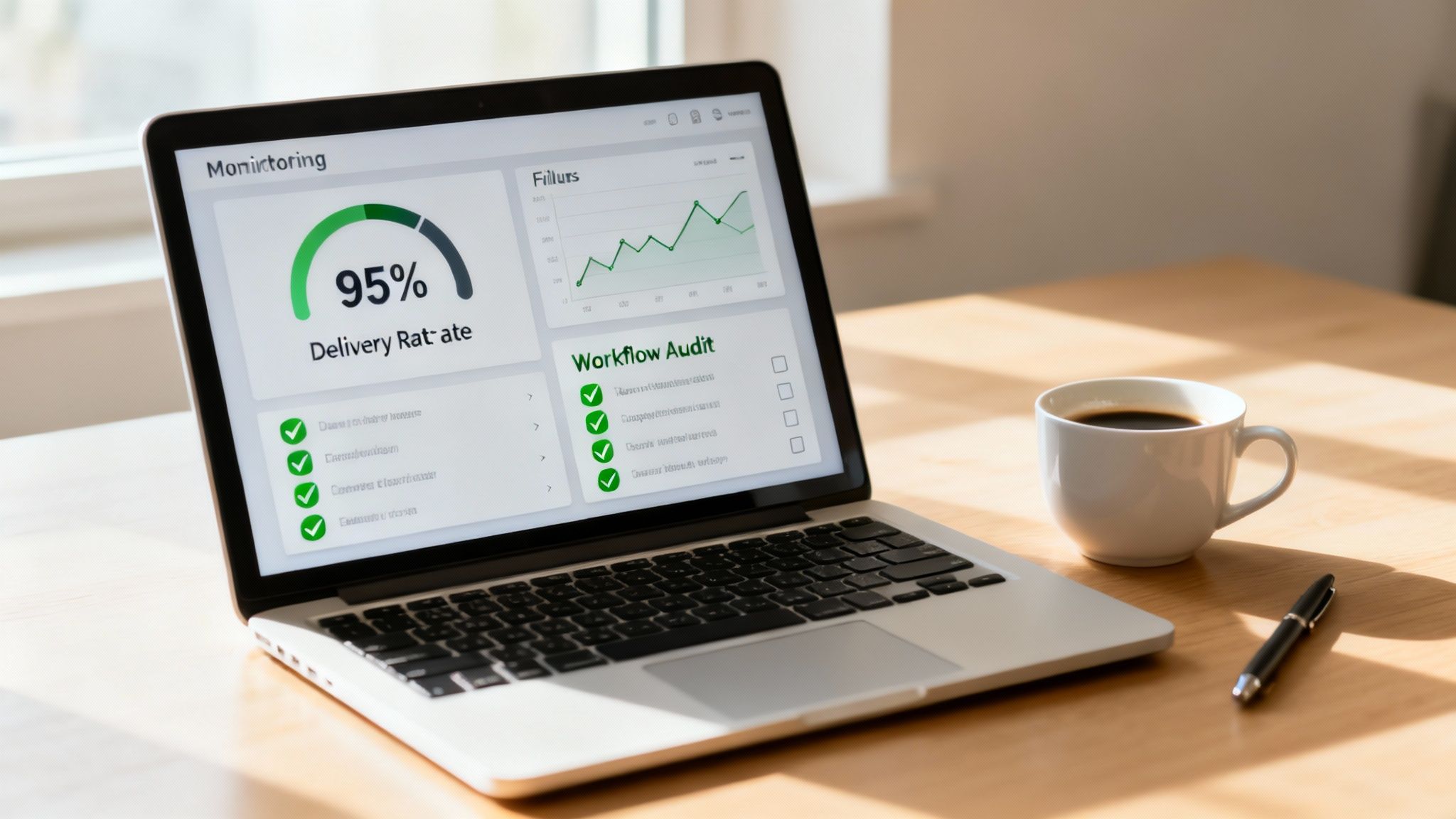
This approach lets you focus on genuine optimization and growth instead of constantly putting out fires. It's about building a system so robust that you can trust it to handle your most valuable leads without you looking over its shoulder 24/7.
Establishing Continuous Performance Monitoring
You can't fix what you can't see. The first step in any prevention strategy is getting a clear line of sight into your WhatsApp delivery metrics. Your CRM or automation platform should be your command center for this, giving you a real-time pulse on your key performance indicators.
I recommend setting up a dedicated dashboard that tracks these vitals over time:
- Delivery Rate: The percentage of messages that actually land in your contact's inbox. A sudden dip here is your earliest warning sign.
- Failure Rate: The flip side—the percentage of messages that fail. Don't just look at the number; dig into the specific error codes to understand why they're failing.
- Read Rate: While not a direct delivery metric, a chronically low read rate can hint that your messages are being perceived as spam, which is poison for your sender reputation.
- Block Rate: This one is critical. The number of users who block your number tells you directly how your audience feels about your messages.
By making it a habit to review these metrics weekly, you can spot negative trends and step in long before they cause a widespread outage. The discipline is similar to how top teams manage email deliverability; in fact, the principles in our guide to https://www.smorchestra.com/post/prevent-outbound-email-mistakes-with-approval-workflows about systematic checks apply here, too.
Conducting Regular Workflow Audits
Your sales workflows are living things, not "set it and forget it" assets. They need regular check-ups. A periodic audit, maybe once a quarter, ensures your automation logic, message templates, and technical connections are all still in good health.
A workflow audit isn't about finding fault; it's a health check-up for your sales engine. It identifies points of friction and opportunities for improvement that you'd otherwise miss in the day-to-day rush.
Use this checklist to guide your quarterly review:
- Review Automation Logic: Are the time delays still making sense? Is the fallback sequence from WhatsApp to SMS or email actually triggering when it should? Are your after-hours rules working correctly?
- Check Message Templates: Have any templates been rejected by Meta? Are they still relevant to your current sales process, or do they sound dated? Could you tweak the language for better engagement?
- Validate API Health: This is a big one. Confirm that your API tokens haven't expired and your webhooks are still firing correctly. If you're new to this, this essential guide to API monitoring is a fantastic resource for getting the fundamentals right.
- Assess Contact Data Hygiene: Run a quick report to spot formatting errors or missing opt-in data in contacts you've added over the last 90 days.
This structured review process ensures your automations evolve with your business instead of slowly degrading over time.
A/B Testing for Continuous Optimization
Prevention isn’t just about dodging bullets; it’s also about actively looking for ways to improve. A/B testing your WhatsApp message templates is a powerful way to optimize both delivery and engagement. You can test small variations to see what truly resonates with your audience.
Try running tests on these elements:
- Opening Line: Does a personalized greeting like "Hi [FirstName]," outperform a more generic opener?
- Call-to-Action (CTA): Does asking an open-ended question generate more replies than a direct link to book a meeting?
- Message Length: Is a short, punchy message more effective than a more detailed one that provides more context?
By systematically testing and rolling out the winning variations, you’re constantly sharpening your outreach. This data-driven approach doesn't just boost conversion rates—it also helps maintain a high sender reputation by proving your messages are valuable and engaging.
Fine-Tuning Your Approach for MENA and GCC Businesses
If you're working in the MENA and GCC markets, you already know WhatsApp is king. It's not just another app on someone's phone; it’s the default tool for business and personal life. A generic, copy-paste workflow that works in North America will fall flat here. You need a strategy that's built from the ground up with the region's technical quirks and cultural norms in mind.
First things first: you absolutely have to support bilingual communication. Your message templates and automation need to switch between Arabic and English without a hitch. If a lead contacts you in Arabic, every single follow-up should be in Arabic. This is more than just good manners—it’s the baseline for building trust and making sure your message actually gets read.
Adapting to Local Realities
You can't always count on perfect mobile network coverage across the region. This is where solid fallback logic becomes your best friend for fixing WhatsApp message delivery issues. If a WhatsApp message hangs and fails to deliver, your workflow should be smart enough to immediately try again via SMS. This ensures a critical lead never gets lost in the digital ether.
In the Gulf, business is personal. A sales sequence that feels too aggressive or automated can come across as rude. It's crucial to time your messages to respect local business hours (think Sunday to Thursday, 9 AM to 6 PM) and avoid sending anything late at night.
Here are a few practical adjustments I always recommend for businesses in the region:
- Bilingual Templates: Don't just translate on the fly. Create and get official approval for identical message templates in both Arabic and English.
- Smart Timing: If a message is triggered after hours or during prayer times, queue it. Have your system send it at a more respectful time the next business day.
- Channel Fallback: For anything important—like appointment reminders or payment links—make a WhatsApp-to-SMS fallback your standard operating procedure.
- Personal Touch: Ditch the corporate speak. Write your templates to sound warm, direct, and human. It reflects the high value placed on personal relationships.
MENA-Specific WhatsApp Workflow Optimization Checklist
Here's a quick checklist to make sure your sales workflows are properly tuned for the unique landscape of the MENA region. Running through these points can help you spot gaps and opportunities you might have missed.
By weaving these details into your system, you're not just building something that works technically—you're building a sales engine that feels right for the culture. This is how you win.
For a deeper dive, check out our guide on building effective WhatsApp-first sales funnels for MENA. It gets into the nitty-gritty of structuring these workflows for maximum impact.
Common Questions on WhatsApp Delivery Failures
When you're trying to fix WhatsApp delivery problems in your sales funnel, a few questions pop up time and time again. Let's tackle them head-on.
How Do I Know If My WhatsApp Number Has Been Blocked or Flagged?
Your most direct clue is the Quality Rating inside your WhatsApp Business Manager. If it suddenly drops from "High" (green) to "Medium" (yellow) or, even worse, "Low" (red), that's a serious warning from Meta.
You might also notice other red flags. Are your message templates getting rejected more often than usual? Have your delivery and read rates taken a nosedive for no apparent reason? These are tell-tale signs. In the most severe cases, your account gets a "Flagged" status, and just like that, you can no longer send messages to start new conversations.
What's the Real Difference Between a Session and a Template Message?
Getting this right is absolutely crucial for successful delivery.
Think of a Session Message as your response in an ongoing chat. When a user messages you first, it opens up a 24-hour window where you can send free-form replies. Simple.
A Template Message, on the other hand, is for initiating a conversation. It's a pre-approved message you can send to anyone who has opted-in, even if they haven't messaged you in weeks. Trying to send a promotional template or an unapproved message outside that 24-hour session window is one of the quickest ways to get your account penalized and your messages blocked.
How Often Should I Check My WhatsApp Automation Workflows?
Don't wait for things to break. Staying proactive is the key to keeping your sales channel healthy and your messages flowing.
We always advise our clients to do a full workflow audit at least quarterly. This is a deep dive where you check everything: automation timing, your fallback logic (like switching from WhatsApp to SMS), the performance of each message template, and the quality of your contact list.
On top of that, you should be doing a quick check-up every week. Just a glance at your delivery rates and sender quality rating is enough. This simple habit helps you spot small problems before they grow into major blockages that bring your sales process to a screeching halt.
Ready to build a reliable, multi-channel sales system that turns inquiries into booked appointments without the technical headaches? SMOrchestra designs and operates AI-powered workflows across WhatsApp, SMS, and email, specifically for businesses in the MENA region. Learn more about our automated systems at SMOrchestra.

Read Our latest
Lorem ipsum dolor sit amet, consectetur adipiscing elit.