Navigating from your current operational state to your desired future state often feels like a journey without a map. Whether you're in sales, marketing, customer experience (CX), or product development, the chasm between "where we are" and "where we want to be" is filled with assumptions, guesswork, and missed opportunities. A structured gap analysis is the most effective tool to bridge this divide, turning ambiguous goals into a clear, actionable roadmap. It systematically identifies discrepancies between your current performance and your strategic objectives, providing the data-driven clarity needed to prioritise resources and initiatives effectively.
This resource list moves beyond theory to provide a curated collection of practical, ready-to-use gap analysis templates. We have compiled a comprehensive list of templates across various platforms, including Excel, Google Sheets, PowerPoint, Miro, and more. Each entry is designed to address specific business functions, helping you pinpoint the exact tool for your needs without endless searching. You'll find direct download links, screenshots, and step-by-step guidance to ensure you can start measuring immediately.
For businesses in the MENA region, we’ve included specific notes on localisation, ensuring the templates align with regional workflows and the nuances of the Arabic language. The goal is to help you select the right gap analysis template to not only identify performance gaps but also to map those gaps directly to tangible automation projects and key results (OKRs). To properly define your current and future states, exploring dedicated business process documentation templates can also provide invaluable frameworks for structuring your analysis. This guide cuts through the noise, offering direct access to the tools you need to stop guessing and start measuring.
1. Miro
For teams that prioritise real-time collaboration and visual brainstorming, Miro offers a dynamic and flexible alternative to traditional spreadsheets. It provides an online collaborative whiteboard platform where teams can create and share a gap analysis template and work on it simultaneously. This is particularly effective for remote or hybrid teams needing to facilitate workshops, strategy sessions, or planning meetings in a highly interactive environment.
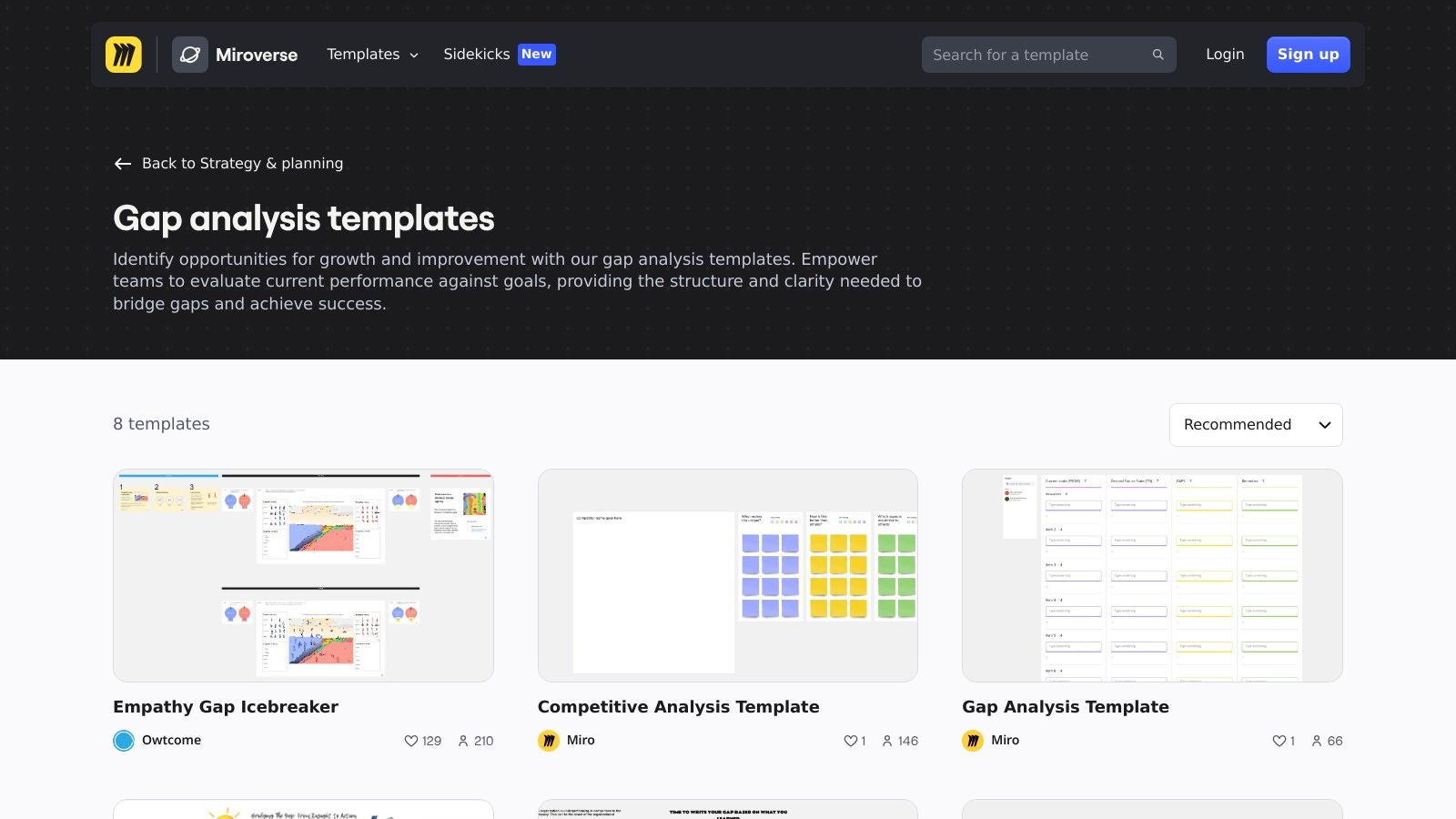
Miro's strength lies in its extensive template library, which goes beyond a basic gap analysis. You can find pre-built canvases for skills-gap analysis, fit-gap analysis, and other strategic models like SWOT or PESTLE. This allows teams to seamlessly integrate their gap analysis into a broader strategic context, all within one visual workspace. The platform excels at turning abstract concepts into tangible visual maps using digital sticky notes, connectors, and voting tools, making complex analysis more accessible. For businesses in the UAE, this visual approach is also highly effective for mapping out complex customer journeys before implementing a new eCommerce website design in Dubai.
Key Details & Usage Tips
- Access: A free plan is available with limited boards and features. Paid plans unlock advanced functionalities like private boards and integrations. An account is required for access.
- Best For: Facilitating live, collaborative workshops, especially with remote team members. It is ideal for the initial brainstorming and high-level planning phase of a gap analysis.
- Pros: Excellent for visual thinkers, supports real-time multi-user collaboration, and offers a vast library of complementary business templates.
- Cons: Less suited for data-heavy, quantitative analysis where a spreadsheet would be more practical. The most powerful features are behind a paywall.
2. Smartsheet
For teams looking for a structured, downloadable resource hub, Smartsheet offers a comprehensive collection of free gap analysis template files. Unlike purely collaborative platforms, Smartsheet acts as a central repository for pre-built templates in familiar formats like Excel and PDF, covering a wide range of specialisations from skills and process gaps to vendor, security, and market analysis. This makes it an excellent starting point for businesses that prefer to work with static documents or need a solid foundation before importing data into a project management tool.
The primary strength of Smartsheet's offering is the sheer breadth and specificity of its templates, accompanied by step-by-step guidance on how to use them effectively. Each download is designed for a distinct business need, allowing teams to select a highly relevant framework without building one from scratch. For instance, a logistics company in the UAE can use a process gap analysis to streamline its supply chain, a critical function for improving logistics in warehouse operations. While the templates are free to download, they unlock their full potential when integrated into the Smartsheet platform, which turns the static analysis into a live, actionable project plan.
Key Details & Usage Tips
- Access: Templates are free to download from their website in Excel or PDF format. No account is required for the downloads, but using them within the Smartsheet platform requires a subscription.
- Best For: Teams that need specialised, ready-to-use templates for specific types of gap analysis (e.g., security, software, training) and prefer starting with a structured document.
- Pros: Wide variety of specialised templates for numerous use cases, all available for free download. Templates provide a strong, structured starting point for detailed analysis.
- Cons: Using the templates as offline documents can lead to version control challenges. Advanced automation and collaborative features require a paid Smartsheet subscription.
3. Figma FigJam
For design-led teams where visual collaboration is paramount, Figma's FigJam offers a modern, interactive whiteboarding space. It serves as an excellent digital canvas for teams to build a gap analysis template from scratch or adapt existing ones from its community library. FigJam is purpose-built for ideation, scoping, and action planning, making it ideal for product, design, and cross-functional workshops where real-time participation is key.
FigJam's core strength is its seamless integration into the broader Figma design ecosystem and its incredibly smooth user experience. Teams can effortlessly move from a brainstorming session on FigJam to high-fidelity mockups in Figma. It uses intuitive tools like drag-and-drop sticky notes, pre-built widgets, and voting features to facilitate dynamic group discussions. This turns a gap analysis from a static document into a live, evolving project board where ideas are captured, prioritised, and assigned. For teams in the UAE planning digital product launches, this environment is perfect for mapping out user experience gaps before committing to development.
Key Details & Usage Tips
- Access: A free starter plan is available with limitations. Paid professional plans unlock unlimited files and advanced features. A Figma account is required.
- Best For: Product and UX/UI teams conducting collaborative workshops, brainstorming sessions, and strategic planning that directly feeds into the design process.
- Pros: Exceptional modern collaboration UX, deeply integrated with Figma design workflows, and great for highly interactive and engaging workshops.
- Cons: Primarily a whiteboarding tool, not designed for data-heavy quantitative reporting like a spreadsheet. Requires user sign-in and may not suit organisations that prefer on-premise solutions.
4. Lucid (Lucidchart/Lucid Suite)
For professionals who need to visualise complex processes and systems, Lucid offers a powerful diagramming suite that brings a gap analysis template to life. Rather than focusing on spreadsheets or simple text, Lucid excels at creating detailed visual maps that clearly delineate the "current state" versus the "desired state". This is especially useful for IT, operations, and process improvement teams who need to document workflows and pinpoint specific areas for enhancement.
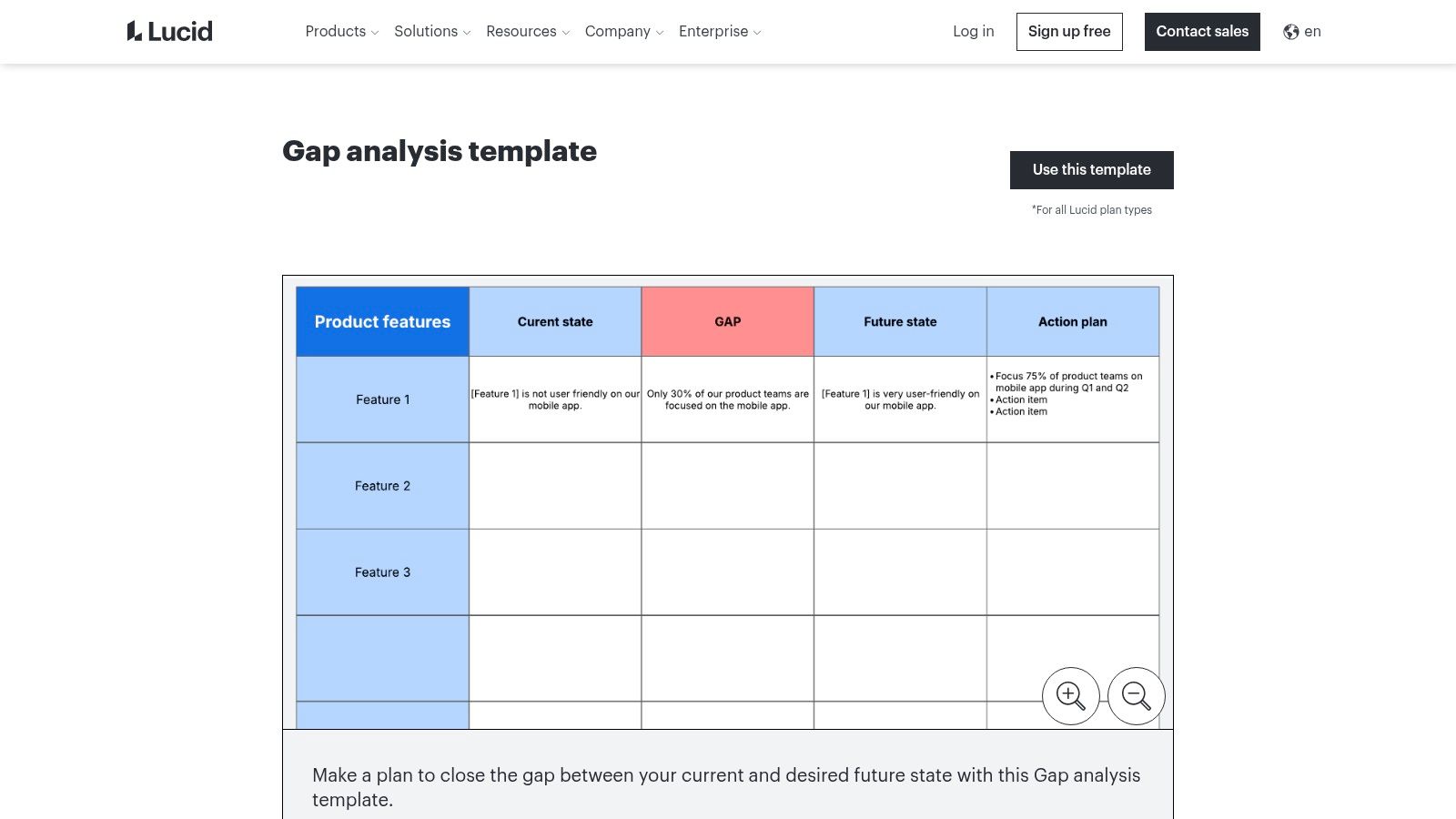
Lucid's strength is its emphasis on structured diagramming. Users can leverage tools like swimlanes, layers, and conditional formatting to build sophisticated process flows. This allows for a granular analysis where gaps are not just listed but are visually represented within the context of the entire system. For instance, a team can map a customer support journey and use specific shapes or colours to highlight gaps in service delivery, making the findings instantly understandable for stakeholders. This structured, visual documentation is essential for complex projects, like mapping out the omnichannel support flows for a new contact centre solution such as CXMfast AI, where visual clarity is paramount.
Key Details & Usage Tips
- Access: A free plan with limited document and shape options is available. Paid plans are required for advanced features, unlimited documents, and team administration.
- Best For: Creating detailed, formal process diagrams and workflow maps where visual precision is critical. Excellent for documentation and presentation purposes.
- Pros: Outstanding for visual process mapping and identifying gaps in workflows. Offers enterprise-grade security and administration, plus robust export options (PDF, images, Visio).
- Cons: Less intuitive for purely quantitative or data-heavy analysis compared to a spreadsheet. The full suite of features requires a paid subscription.
5. Asana
For organisations that want to immediately translate analysis into action, Asana offers a highly structured, task-based approach. It provides a project management environment where a gap analysis template becomes a live, trackable project. This method is ideal for teams that need to not only identify gaps but also assign ownership, set deadlines, and monitor the progress of remediation efforts in one centralised place.
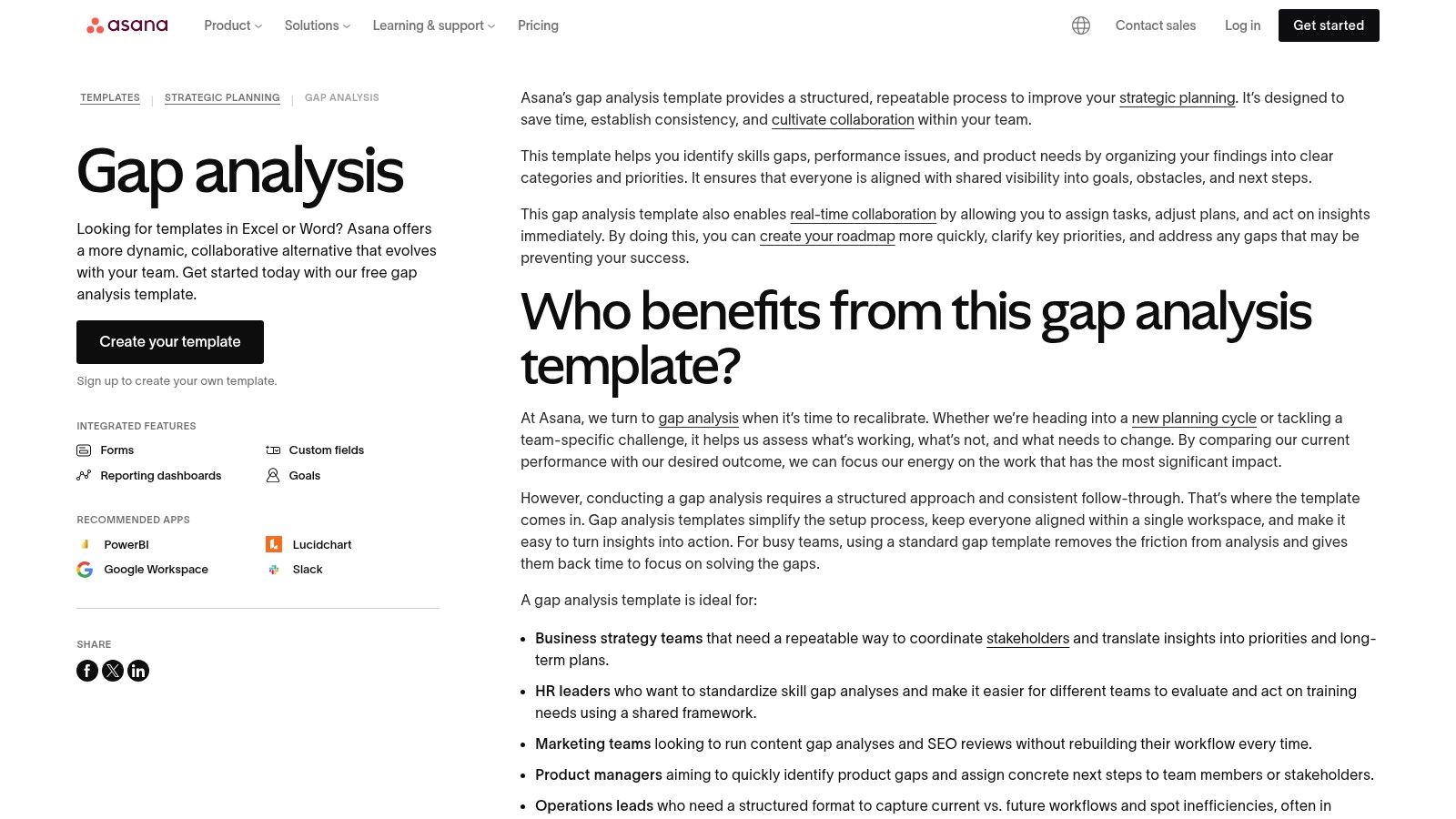
Asana’s primary strength is its seamless transition from analysis to execution. Gaps identified are not just static entries in a document; they become actionable tasks with assignees, due dates, and custom fields for details like severity or priority. These tasks can be linked to larger company goals and visualised on dashboards, providing leadership with real-time visibility into how gap-closing activities are contributing to strategic objectives. This is particularly useful for teams who have identified operational gaps and need a robust system to manage the resulting initiatives, a common need highlighted by any top digital marketing agency.
Key Details & Usage Tips
- Access: A free plan is available with core project management features. Paid tiers are required for advanced features like custom fields, forms, and portfolio dashboards. An account must be created to use templates.
- Best For: Teams focused on operationalising the outputs of a gap analysis. It is excellent for turning strategic discussions into a concrete action plan with clear accountability.
- Pros: Directly connects analysis to action tracking, ensures clear ownership and visibility of tasks, and integrates the gap analysis process into the broader work management ecosystem.
- Cons: Less suitable for the initial, fluid brainstorming phase of a gap analysis. It can feel overly structured for a quick, one-off analysis compared to a simple spreadsheet.
6. HubSpot
For small-to-medium enterprises (SMEs) and teams who prefer the familiarity and functionality of a traditional spreadsheet, HubSpot provides a practical and straightforward solution. They offer a free, downloadable gap analysis template available in both Excel and Google Sheets formats. This resource is designed for immediate use, allowing teams to quickly document their current state, define their desired future state, and begin mapping out the necessary actions without a steep learning curve.

The template's strength is its simplicity and focus on basic project governance. It includes dedicated columns for gap descriptions, priority levels, status tracking, task owners, and deadlines. This structure helps teams not only identify gaps but also assign accountability and monitor progress effectively. While part of HubSpot’s broader content marketing, this tool is genuinely useful for businesses that need to align their marketing, sales, and service efforts. For instance, it can help diagnose why a company's ads, emails, and website aren't working together, providing a clear framework to plan corrective actions.
Key Details & Usage Tips
- Access: The template is free to download after submitting a basic lead capture form. It is provided as both an Excel file and a link to a Google Sheet.
- Best For: SMEs, marketing teams, and project managers who need a simple, no-frills spreadsheet to organise and track gap analysis initiatives.
- Pros: Very quick to implement using familiar software (Excel/Google Sheets), includes fields for basic project management, and is completely free to use.
- Cons: Lacks the dynamic, real-time collaboration features of dedicated whiteboard tools. Its styling is purely functional and offers no advanced visualisation capabilities.
7. Atlassian Confluence
For organisations that require rigorous documentation and seamless integration within a project management ecosystem, Atlassian Confluence is a powerful choice. It offers a structured gap analysis template within its knowledge management platform, turning the analysis from a standalone document into a living part of a project's central repository. This is ideal for technical teams, product managers, and business analysts who need to document the current state, desired future state, and associated risks in a collaborative, version-controlled environment.
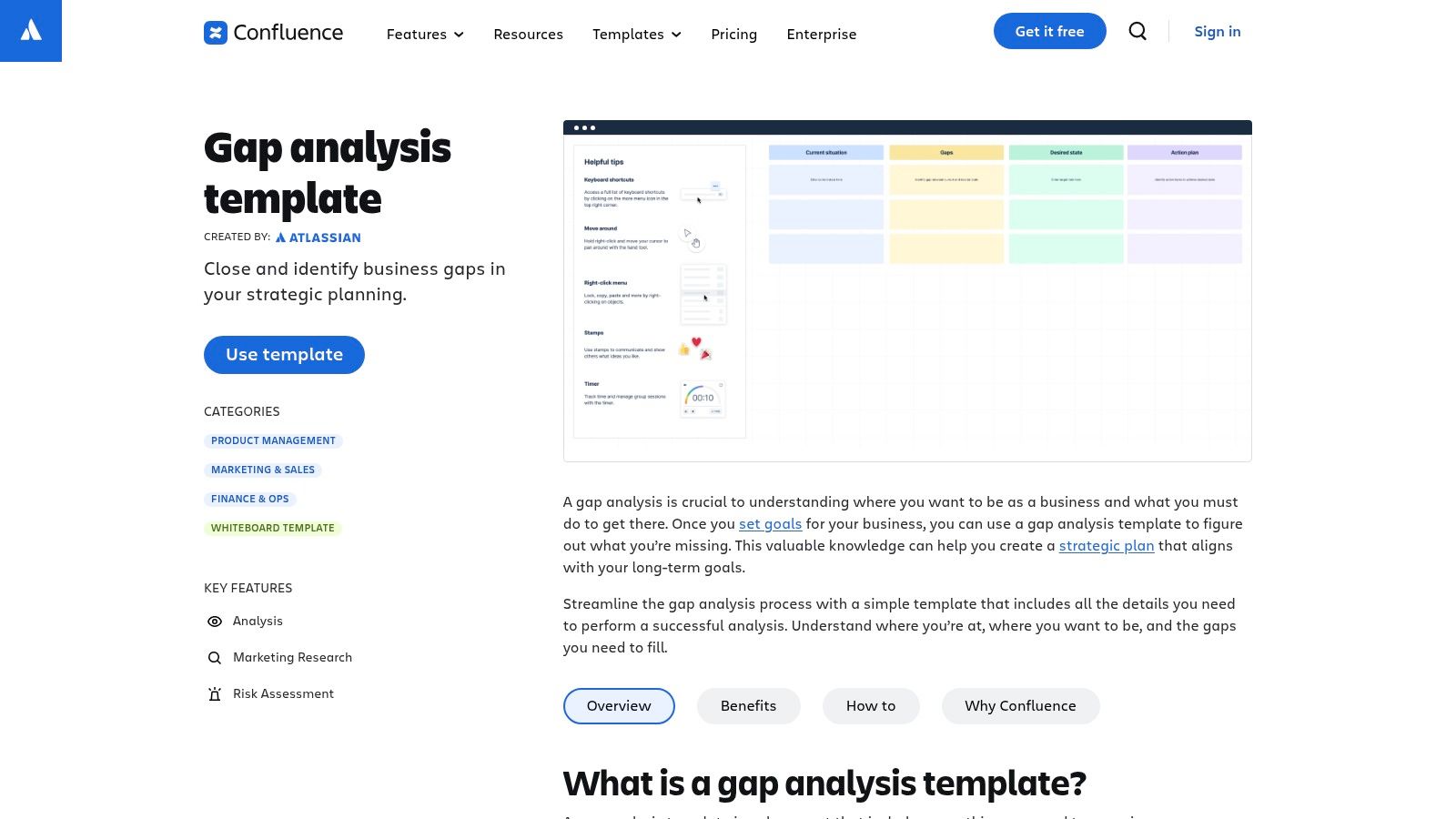
Confluence's key advantage is its deep integration with the Atlassian suite, particularly Jira. A gap identified in a Confluence page can be directly linked to a Jira epic or task, creating a clear and traceable path from analysis to action. The template itself provides a pre-built structure for outlining the analysis, research, and risks, ensuring consistency across teams. Inline comments, page history, and collaborative editing make it a superior alternative to static documents for teams that value transparency and a single source of truth for their strategic planning.
Key Details & Usage Tips
- Access: A free plan is available for up to 10 users. Paid plans are required for larger teams and advanced features. An Atlassian account is necessary.
- Best For: Teams already using the Atlassian suite (like Jira) that need to centralise their gap analysis as formal, version-controlled documentation.
- Pros: Creates a centralised and permanent record within a knowledge base, easily links to related pages or Jira issues, and supports robust collaborative editing with a full version history.
- Cons: Less suited for quick, visual brainstorming or heavy numerical analysis without using macros or embedded tables. It requires an existing Confluence workspace.
8. Aha!
For product management teams looking to embed gap analysis directly into their strategic planning and roadmapping workflows, Aha! provides a powerful, purpose-built solution. Instead of a generic spreadsheet, Aha! offers a collaborative whiteboard gap analysis template designed specifically for identifying where a product or strategy falls short of its goals. This is highly effective for product managers who need to connect high-level strategic gaps directly to features, epics, and initiatives on their roadmap.
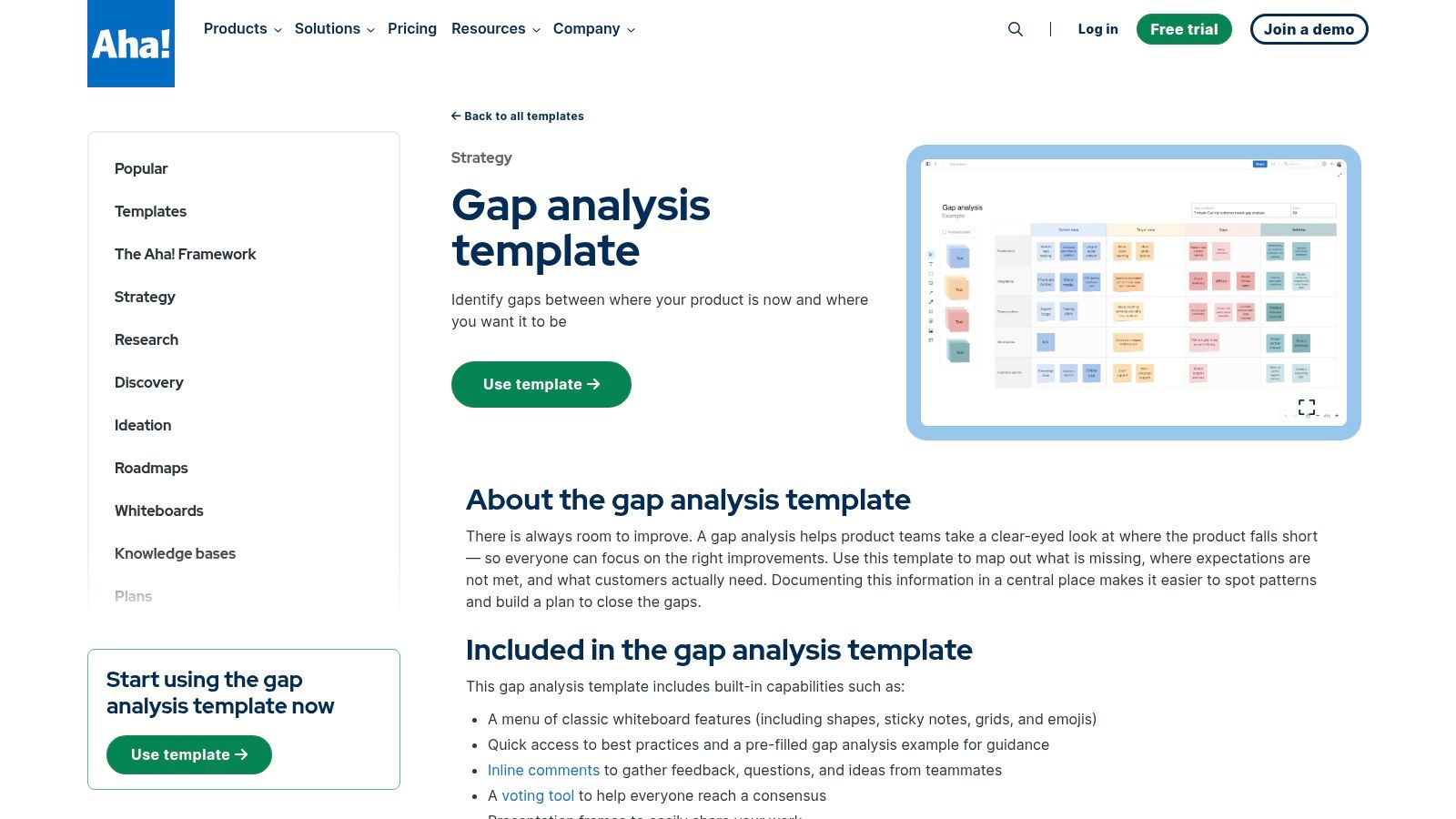
The strength of Aha! lies in its integration. The gap analysis is not a standalone exercise; it's a living document linked to your entire product development lifecycle. Using digital sticky notes and guided prompts, teams can collaboratively define the current state, future state, and identified gaps. These gaps can then be converted into actionable work items and prioritised within the Aha! platform, ensuring the analysis drives tangible outcomes. This structured approach is particularly useful for teams looking to create a clear audit trail from strategy to execution, a core principle advocated by any leading AI automation agency.
Key Details & Usage Tips
- Access: The whiteboard templates are part of the broader Aha! suite. Access typically requires a paid plan, though a free 30-day trial is usually available.
- Best For: Product management teams, strategists, and business analysts already using or considering the Aha! ecosystem for roadmapping and product planning.
- Pros: Purpose-built for product teams, seamlessly integrates analysis with roadmaps and initiatives, and facilitates strong alignment between strategy and execution.
- Cons: Overkill for a simple, one-off gap analysis. The full value is only realised when used within the complete Aha! software suite, and free access is limited.
9. ProjectManager
For those who need a no-nonsense, project-oriented tool, ProjectManager offers a free and downloadable gap analysis template in Excel format. This template is specifically designed for execution, moving beyond high-level strategy to focus on the actionable steps required to close identified gaps. It’s an ideal resource for project management offices (PMOs) and managers who need a structured document to assign tasks, track progress, and report back to stakeholders in a familiar spreadsheet environment.
The strength of ProjectManager's template lies in its pragmatic layout. It includes dedicated columns for not just the current and future states but also for quantifying the gap percentage, listing specific action items, and assigning owners and statuses. This level of detail makes it perfect for integrating directly into project plans and performance dashboards. While the template is a static file, its structure makes it easy to import into collaborative platforms or connect to larger project management software, ensuring the analysis translates directly into trackable work items.
Key Details & Usage Tips
- Access: The Excel template is available for a free, instant download from their website; no account or sign-up is required.
- Best For: Project managers and PMOs needing a structured, task-oriented template to manage the implementation phase of a gap analysis. It is excellent for clear reporting and accountability.
- Pros: Highly practical and focused on execution, easily adaptable for PMO reporting standards, and completely free to download and use.
- Cons: As an offline file, it lacks real-time collaborative features unless imported into a tool like Google Sheets. Advanced tracking and dashboards require using the full ProjectManager software.
10. Template.net
For organisations that require flexibility and a wide array of document formats, Template.net serves as a vast repository of business templates. It offers a comprehensive collection of downloadable and editable gap analysis template options, available in formats like Word, Google Docs, Excel, and Google Sheets. This makes it a practical choice for teams that need to produce professionally formatted, printable reports or client-facing deliverables without designing them from scratch.
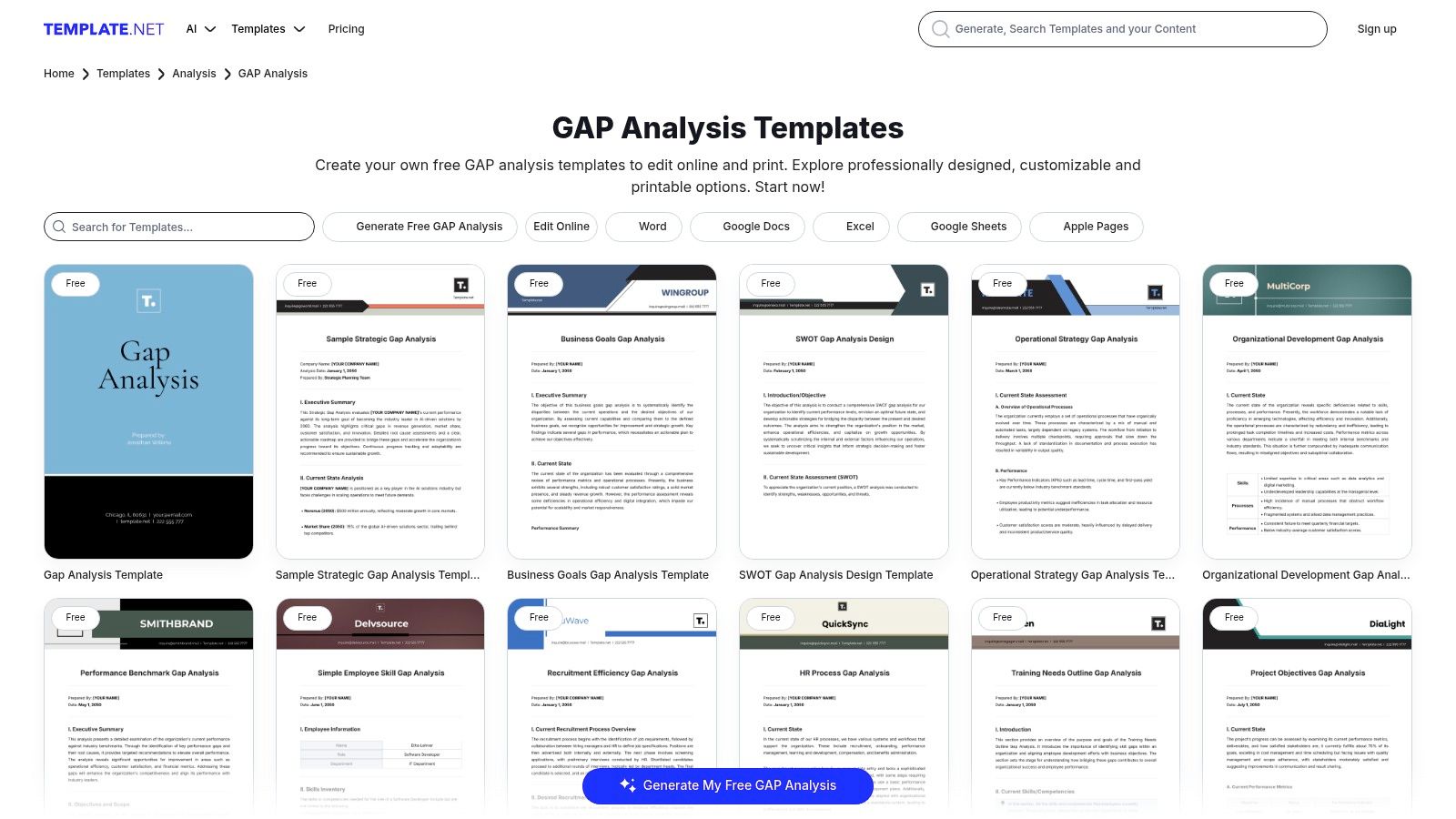
The platform's key advantage is the sheer volume and variety of its catalogue. You can find pre-built gap analysis templates categorised for different business functions, from market and skills analysis to software and performance reviews. Each template can be quickly downloaded or edited directly in their online tool before being exported. For businesses in the MENA region, having access to easily editable Word or Excel documents is beneficial for quick localisation and translation into Arabic, ensuring reports are clear for all stakeholders.
Key Details & Usage Tips
- Access: Many templates are available for free with an account, while a premium subscription is required for unrestricted access to the entire library and advanced formats.
- Best For: Teams needing quick, pre-designed templates in standard office formats (Word, Excel) for creating formal reports or presentations.
- Pros: Extensive selection across multiple formats, good for producing printable client deliverables, and offers templates for various specific analysis types.
- Cons: The design quality can be inconsistent across different templates, and many of the best assets are behind a subscription paywall.
11. Someka
For individuals and consultants who need a polished, presentation-ready spreadsheet, Someka provides a premium, downloadable Excel gap analysis template. This product is designed to move beyond basic data entry, offering a visually refined tool with built-in dashboards and charts. It's an excellent choice when the final output is intended for executive reports, client presentations, or any scenario where a professional, print-ready aesthetic is crucial.
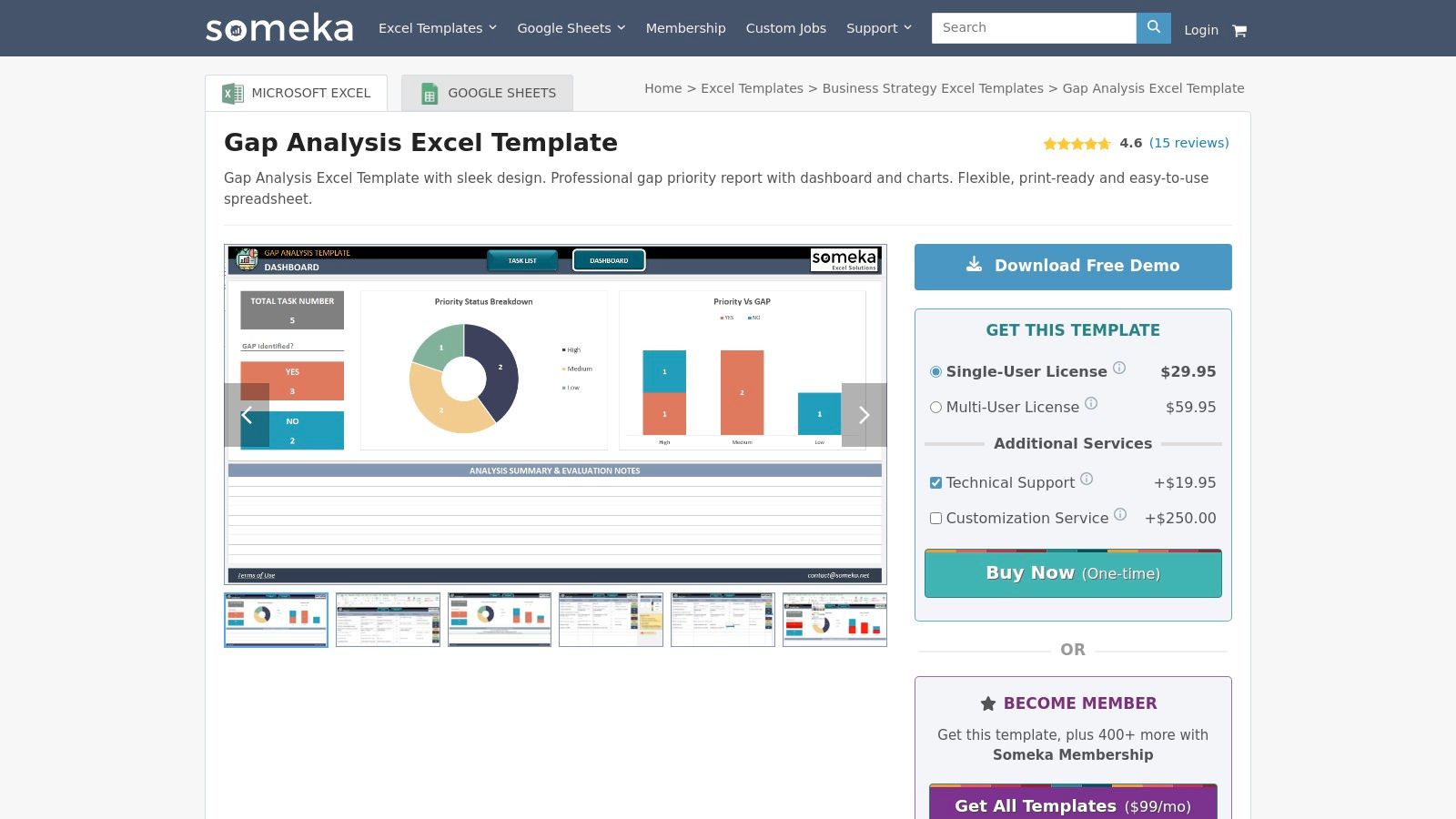
Someka’s key differentiator is its focus on delivering an out-of-the-box, report-quality experience within Excel. The template includes customisable priority levels, status tracking, and automated visualisations that update as you input data. This saves significant time on formatting and chart creation. The product also comes with a fit-gap analysis variant, providing additional utility for software implementation or process compliance projects. This focus on structured, visually appealing outputs makes it a strong tool for consultants in the UAE and Saudi Arabia who need to deliver clear, data-driven recommendations to clients.
Key Details & Usage Tips
- Access: This is a paid product requiring a one-time purchase from the Someka website. Single-user and multi-user licences are available.
- Best For: Creating professional-looking reports and dashboards for executive review or client deliverables without needing advanced Excel skills.
- Pros: Highly polished design suitable for formal presentations, works on both Mac and Windows without macros, and includes a valuable fit-gap template.
- Cons: It is a paid download with pricing listed on the site. As a standalone spreadsheet, it lacks the real-time, multi-user collaboration features of cloud-based platforms.
12. Stackby
For teams seeking a middle ground between flexible spreadsheets and rigid project management tools, Stackby offers a compelling solution. It provides a browser-based gap analysis template built on a unique spreadsheet-database hybrid model. This structure is particularly useful for marketing and operations teams that need organised tables, custom views, and filters to manage their gap analysis without the complexity of heavy-duty software.
Stackby's strength is its ability to create structured data sets that can be viewed in multiple ways, such as grids, Kanban boards, or calendars. The template includes dedicated fields for action planning, channel mapping, and assigning owners, turning the analysis directly into an actionable project plan. This is ideal for teams in the UAE and wider MENA region looking to connect their gap analysis to tangible outcomes, such as linking marketing gaps to specific campaign calendars or product feature gaps to development sprints, all within the same integrated environment.
Key Details & Usage Tips
- Access: A free plan is available which includes access to their templates. An account is required to use and save your work. Paid plans offer more rows, storage, and advanced automations.
- Best For: Teams that need more structure than a whiteboard but want to avoid the overhead of a full project management system. Excellent for turning a gap analysis into a clear, trackable action plan.
- Pros: More organised than a basic spreadsheet, lighter than complex PM tools, and easy to share for browser-based collaboration. The template is free to use.
- Cons: It has a smaller ecosystem of integrations compared to larger suites. Advanced workflow automations may require upgrading to a paid plan.
Gap Analysis Template — Top 12 Tools Comparison
From Analysis to Action: Bridging the Gap with Automation
Throughout this guide, we have explored a diverse collection of gap analysis templates, from the visual canvases of Miro and Figma to the structured spreadsheets of Smartsheet and the comprehensive platforms of HubSpot and Asana. Each tool offers a unique approach to identifying the critical space between your current state and your desired future. Yet, the true value of any gap analysis template is not in the identification of gaps, but in the successful execution of a plan to close them. An elegant chart or a detailed spreadsheet is only a starting point; the real transformation happens when analysis translates into tangible action.
The ultimate goal is to create a dynamic system where insights from your gap analysis directly inform and trigger operational improvements. This is where the power of automation becomes indispensable, particularly for businesses operating in the fast-paced MENA region. Once you have mapped out your performance shortfalls—whether in sales processes, marketing funnels, or customer experience—the next logical step is to build automated systems that bridge these identified deficiencies. Platforms like SalesMfast AI are designed for this exact purpose, offering a localized CRM alternative for MENA businesses with pre-built automation workflows and industry-specific Arabic templates that directly address common process gaps.
Key Takeaways and Your Path Forward
Moving from a static document to a live, self-improving operation requires a strategic shift in thinking. Here are the core principles to guide you:
Map Gaps to Processes: For every gap you identify, document the specific business process that is failing. Is a sales conversion gap due to a slow lead follow-up process? Is a customer satisfaction gap caused by disjointed communication channels? Be precise.
Prioritise by Impact: You cannot fix everything at once. Use a simple impact/effort matrix to prioritise which gaps to address first. Focus on high-impact, low-effort fixes to build momentum before tackling more complex, systemic challenges.
Translate Gaps into OKRs: Your desired future state should be defined by clear Objectives and Key Results (OKRs). If your analysis reveals a 20% gap in qualified leads, a corresponding OKR might be to "Increase Marketing Qualified Leads by 25% this quarter". This makes the goal measurable and time-bound.
Embrace Incremental Automation: The most effective way to close process gaps is through automation. Start small. If your analysis highlights delays in responding to Arabic-speaking customers on WhatsApp, implement a simple automated chatbot for initial triage. For practical inspiration on how to move from analysis to action, exploring various workflow automation examples can provide valuable insights into what's possible.
Selecting the right gap analysis template is less about finding the "best" tool and more about finding the right tool for your organisation's current maturity, technical capabilities, and specific challenges. A startup may thrive with a flexible Figma template, while a larger organisation might need the structured project management capabilities of Asana or ProjectManager to turn their findings into executable tasks. The crucial factor is choosing a format that not only helps you see the gaps but also facilitates the transition into a project plan. Your analysis is a diagnosis; automation is the cure.
A template is a map, but you still need the vehicle to travel the distance. If your gap analysis reveals deep-seated process inefficiencies that off-the-shelf tools cannot solve, SMOrchestra specialises in building the custom automation engines that turn your strategic plans into operational reality. We build the systems that close the gaps for good.

Read Our latest
Lorem ipsum dolor sit amet, consectetur adipiscing elit.